Installation
Download the latest installer from Getting Started page. To download and install the application, follow the instructions below:
Download installer
-
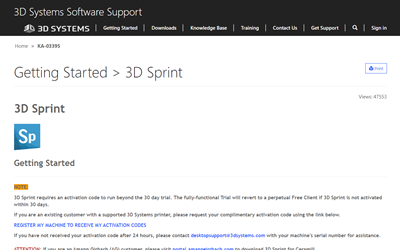
Go to the Getting Started page at: https://support.3dsystems.com/s/article/3D-Sprint.
-
Download the 3D Sprint installer.
Install Application
-
Open the downloaded installer.
-
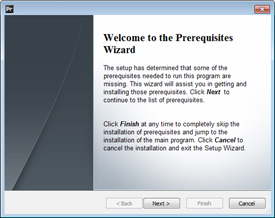
If prerequisite packages are not installed previously, an installation window will appear to install the prerequisite packages.
-
Click Next.
-
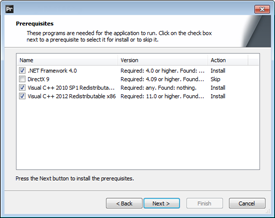
Click Next.
-
Now the packages will be installed. Please wait until the installation is finished.
-
-
The installer will open.
-
Click Next.
-
If you accept the End-User license Agreement (EULA), select I accept... and then click Next.
Note: You can also find the End-User License Agreement (EULA) by going to the path below:
(Default Installation Path - C:\Program Files\3D Systems\3D Sprint\EULA.rtf)
-
Choose installation path and click Next.
Note: If additional drivers are installed, warning messages might appear during the installation. Please confirm these to install the drivers.
-
Click Next.
-
Click Install.
-
Open 3D Sprint from the Desktop or Start Menu.
Note: If updates are available, a message appears when the application starts. To update the application click Yes and follow the installation steps.
See Also


