Activate Printer
Supported Printers:
FabPro 1000
Supported Printers:
ProJet 1200
Before using your ProJet 1200 FabPro 1000 for the first time, it needs to be activated. This process is completed when using the printer for the first time.
How to activate a printer
Send a print job to the printer or run Post Cure* command. (*ProJet 1200 only)
If the printer is not yet activated, a dialog will appear requesting user information for activation.
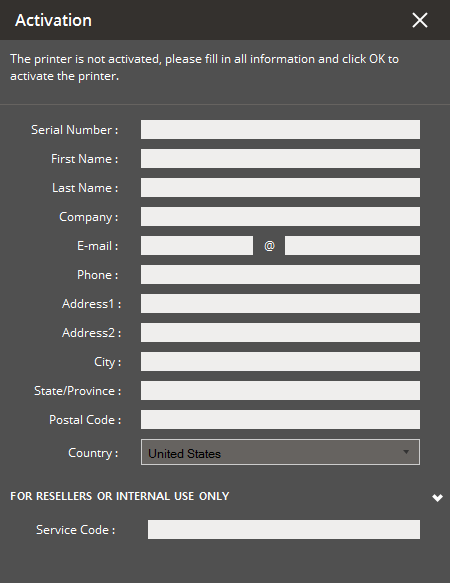
Complete the form except Service Code and click OK.
Note: An internet connection is required to activate the printer.
The printer will now be activated through the 3DSystems activation server.
Print or post cure will continue as normal.
If problems occur during the process, please contact your local reseller.
See Also


