 At a Glance
Get acquainted with 3D Sprint before you begin your first print project.
Upon launching the application, you have access to the Home tab, designed to be your resource hub.
The Home page offers an intuitive resource hub for your printing needs.
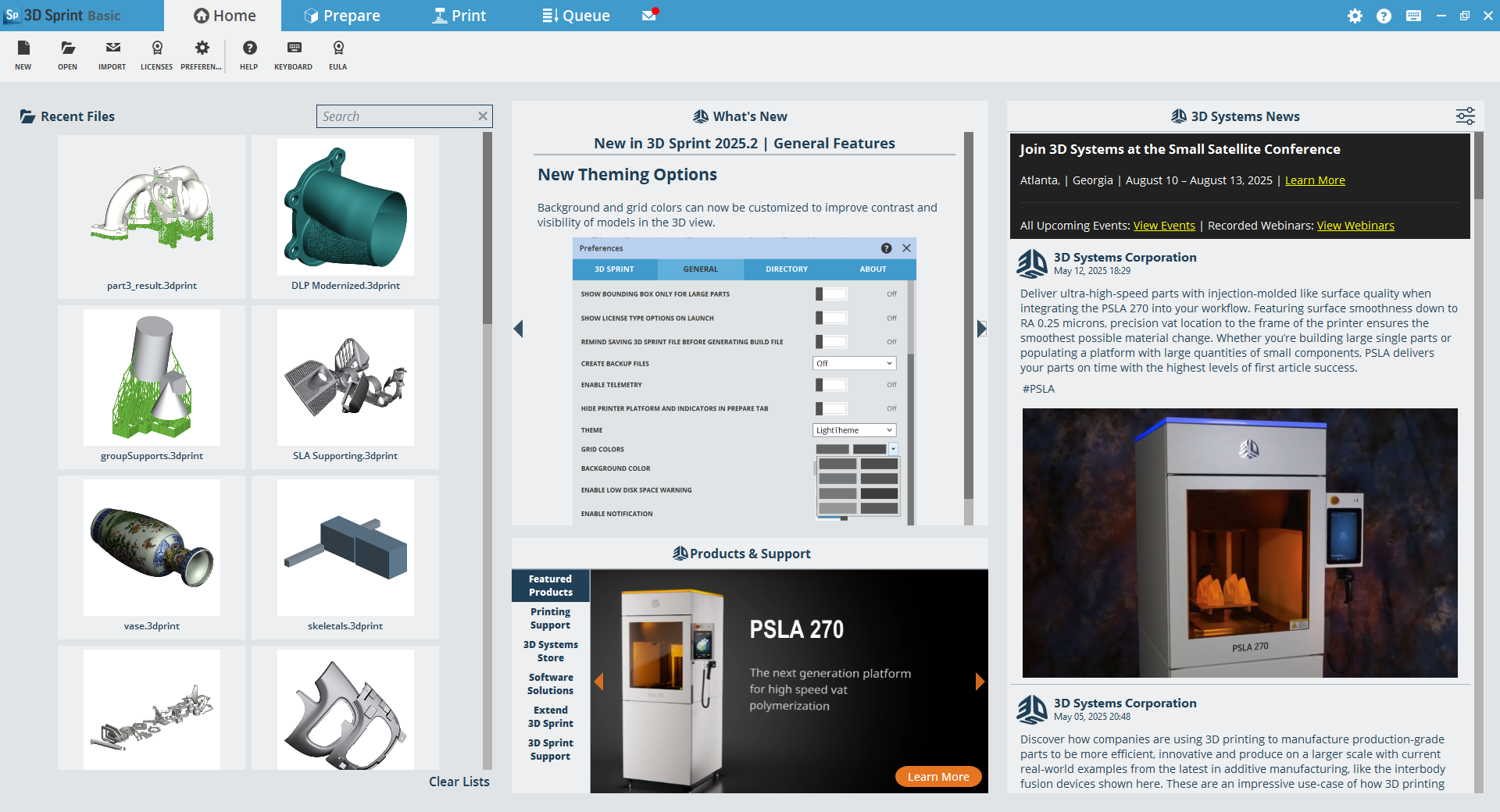
It also provides convenient web links that allow you to:
-
Recent Files: Displays a thumbnail view of your recently accessed 3D print files.
-
What’s New: Keeps you informed about the latest features and updates in new 3D Sprint versions.
-
Products and Support: Provides easy access to information about 3D Sprint, 3D Printing, and Materials.
-
News Feed: The latest information on 3D Systems printing technology, highlighted customer usage stories, upcoming trade shows and webinars, and the latest new products.
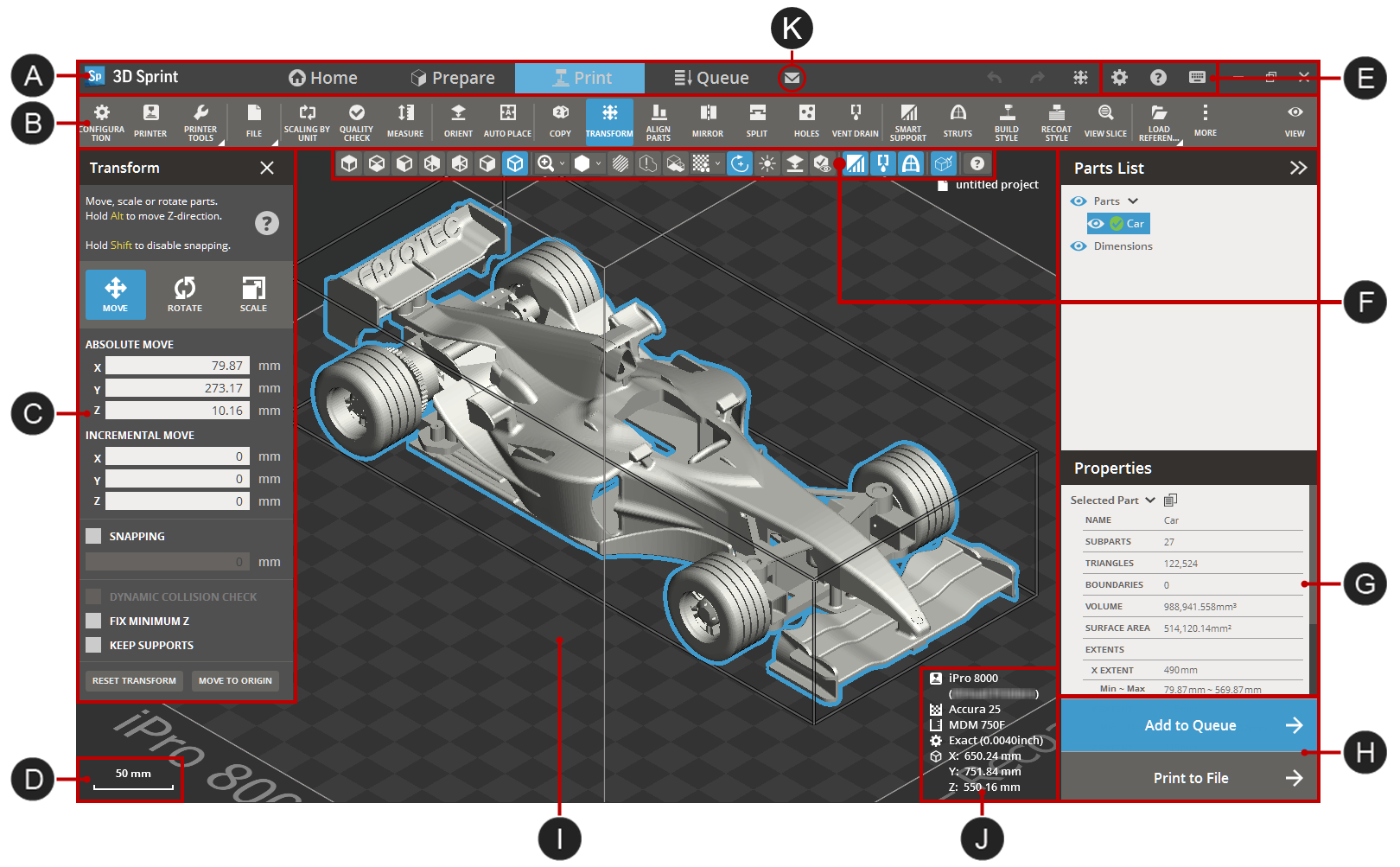
Within the application, three tabs are designed to help your printing tasks.
|
|
|
Parts list and Properties of selected part |
|
|
|
Dynamic Tool bar |
|
Print buttons |
|
|
Command dialog |
|
|
|
|
Scale |
|
Selected printer information and scale |
|
|
|
||
|
|
|
|


Application overview
3D Sprint is a new generation printer client and 3D application. It enables fast and powerful control over the print layout and simulation as well as print job management and queue. 3D Sprint is also your printer connection and management tool.
3D Sprint is divided into several modules:
|
|
|
|
|
|
|
|
|



The Notification Center, accessed via the envelope icon on the title bar, alerts you to important updates with a red dot for unread notifications.
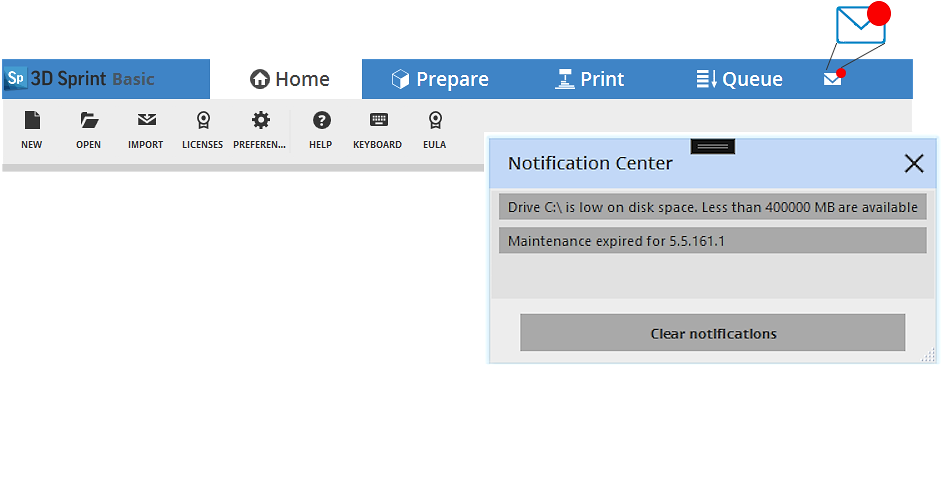
Notifications are triggered by the following events:
-
Low disk space on the hard drive where application data is stored (typically the C: drive).
-
Availability of a new version of 3D Sprint.
-
Full printer queue when sending a job to a Figure 4 printer.
-
Expiration of 3D Sprint maintenance or a Pro Subscription.
-
Availability of a new NMI material data patch.
The Notification can be enabled or disabled in the Preferences dialog.
See Also


