 Report
Create an Excel report from the Print tab for all printable items on the current Print Platform. This report Includes selectable parts and printing information.
Note: (NextDent 5100 Printer) Click Simple UI  to switch between the simple and the advanced User Interface. In the Simple UI, only the tools for minimum workflow are visible.
|
Basic View |
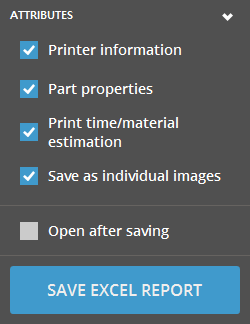
Report Attributes Printer Information - Includes the printer information for the currently set Print Platform in the report. Part Properties - Aggregate information for all printable part on the Print Platform. Print Time / Material Estimation - Print time and material estimation information. Save as Individual Images - Option to save individual images of parts. Open After Saving - Option to open the report file after generation.
|
To create a Report:
- Select the Report command from the Print Tab.
- Choose the Attributes that you want to include in the report.
- Click the Save Excel Report button and choose a location to save the report.
See Also


