Configurable Reports
Creates a report of attributes in excel format. Part properties are configurable in report with option to Select All and Clear All within Part properties dialog.
Note: (NextDent 5100 Printer) Click Simple UI  to switch between the simple and the advanced User Interface. In the Simple UI, only the tools for minimum workflow are visible.
Attributes
|
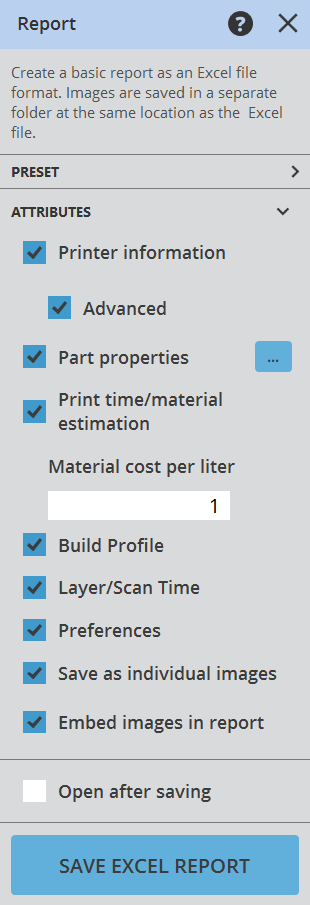
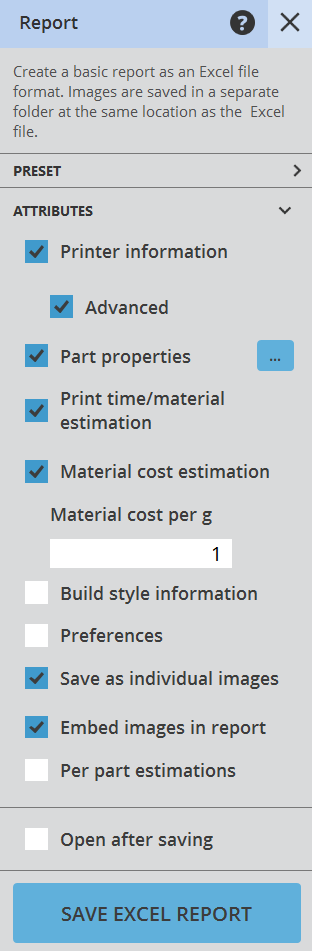
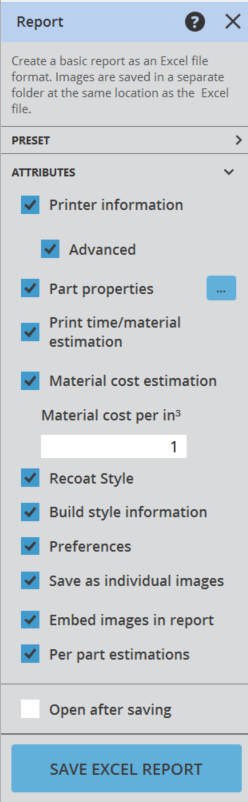
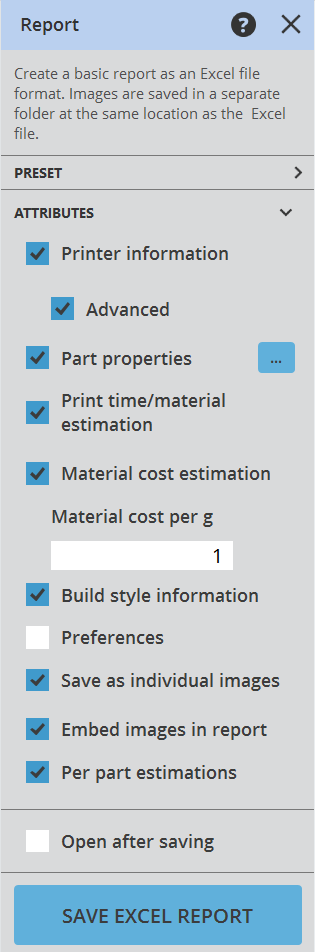
Report Attributes Printer Information - Includes the printer information for the currently set Print Platform in the report.
Part Properties - Aggregate information for all printable part on the Print Platform. Print Time / Material Estimation - Print time and material estimation information.
Recoat Style - Includes recoat style data to the printer report. Build Style Information - Displays information about the style of the printable parts. Build Profile - Provides data for the build profile in the report. Layer / Scan Time - Calculates the scan time and layer amount for the report. Preferences - Displays data regarding settings preferences in the report. Save as Individual Images - Option to save individual images of parts. Embed images in Report - Allows embedded images within the report when applicable.
Open After Saving - Option to open the report file after generation. |

To configure part attributes:
- Select the Report command from the Print Tab.
- Choose the Attributes that you want to include in the report.
- Click the Save Excel Report button and choose a location to save the report.
| SLS Report | SLA Report | MJP Report | Figure 4 Report |
|---|---|---|---|
 |
 |
 |
 |
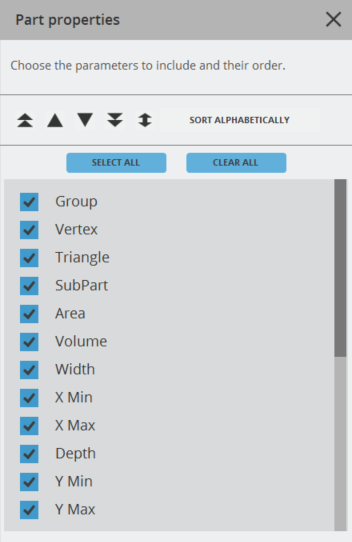
Part Properties
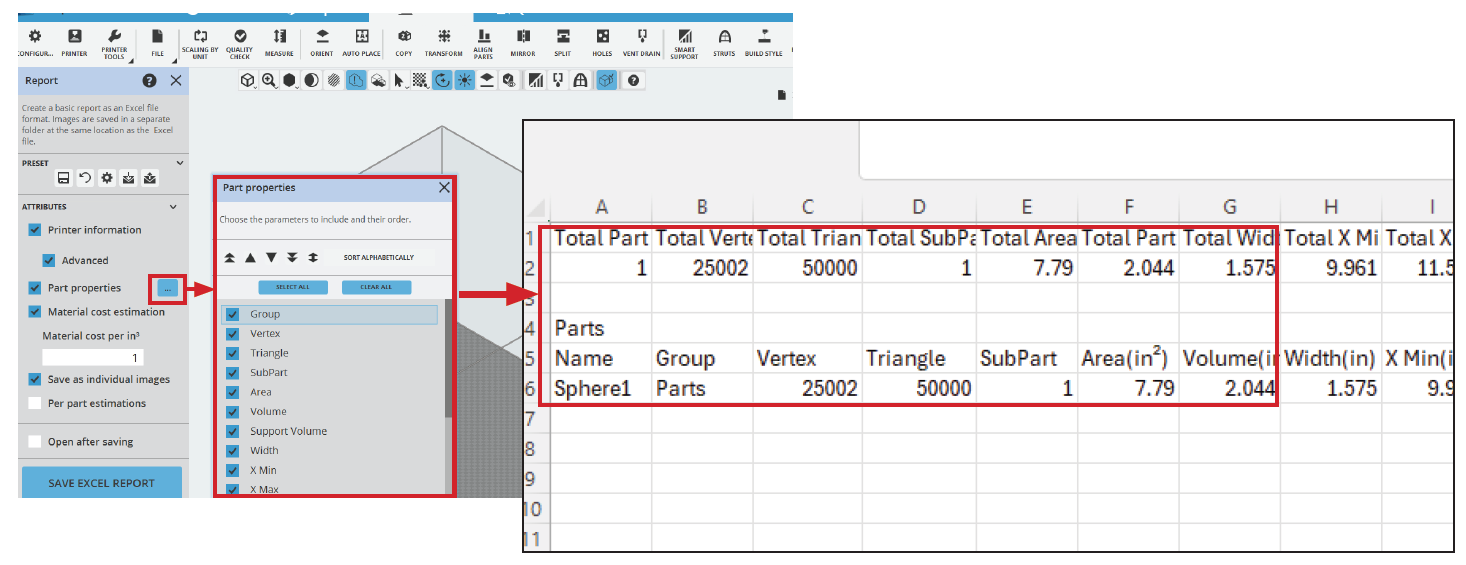
To set the Part Properties:
- Click on the Part Properies icon

- Select the desired parameters to include in the report, then close the Part Properties window.
- Click Save Excel Report button and choose a location to save the report.
|
|
Part Properties Group - Identifies the group information in the report. Vertex - Includes the total number of vertex identified within the report. SubPart - Provides information on the amount of SubParts. Area - Includes the information regarding the area of each part. Volume - Calculates the volume of each part within the report. Width - Calculates the width of each part within the report. X / Y / Z Min - Identifies the minimum axis of the part within the report. X / Y / Z Max - Identifies the maximum axis of the part within the report. Depth - Calculates the depth of each part within the report. Height - Calculates the height of each part within the report. X / Y / Z Move - Provides information regarding axis move within the report. X / Y / Z Rotate - Provides information regarding the axis rotate within the report. X / Y / Z Scale - Provides axis scale information within the report.
|